
Elevator Inspection Software: What Records Must Show
Elevator Inspection Software: What Your Records Must Show Before the Inspector Arrives
By Mr. Sujit Katariya, ElevatorPlus · Compliance reviewed by Mr. Sumeet Katariya
In short: Elevator inspection software earns its keep in the months before the inspector arrives, not on the day. ASME A17.1 Section 8.6 calls for written maintenance records for each unit, kept for five years, and explicitly permits electronic records. So the buying question is narrow. Does the software capture the right fields per unit and tie each record to your MCP? Does it keep callback history on the same unit, with an evidence chain an AHJ can follow?
Key takeaways
- The records duty already exists. ASME A17.1 Section 8.6 calls for written maintenance records per unit, retained for five years, and explicitly permits electronic records.
- The unit is the record, not the job. Software that files work by job ticket makes you rebuild a unit's history by hand. Software that files by unit shows it on one screen.
- The MCP is the plan and the record is the proof. Every completed task should point back to the MCP item it satisfies, so a missed task shows up before the inspector finds it.
- Callbacks belong on the same unit record as maintenance. A unit with repeat callbacks or an entrapment tells a story about your MCP, and it should be your story first.
- An evidence chain answers five questions. Who, when, where, what was done, and who acknowledged it, captured at the time of work rather than typed up later.
- Ask vendors to show you, not tell you. Eight questions below separate a records system from a scheduling tool with a checklist attached.
What this guide covers: what the software must record · the per-unit field checklist · the evidence chain · linking records to your MCP · callback history · how to evaluate a vendor · FAQs
What must elevator inspection software record?
Start with the code, because the duty is already written down. ASME A17.1 Section 8.6 calls for written maintenance records for each unit. They are kept for five years. Electronic records are explicitly permitted.
That last point is the one that matters for a software decision. A paper log in the machine room and a digital record on a server are both acceptable forms. The question is which one you can produce, complete, for one unit, when the AHJ asks. Confirm with your AHJ which code edition and local requirements apply to your units.
If you are still deciding what this category of software should cover beyond inspections, start with What Is Elevator Service Software? A Straight Answer.
This article is about the software decision, not inspection-day preparation. For the day itself, read Elevator Inspection Readiness USA: Stay Audit-Ready. For how the program itself is structured, read Elevator Maintenance Control Program (MCP) USA Explained.
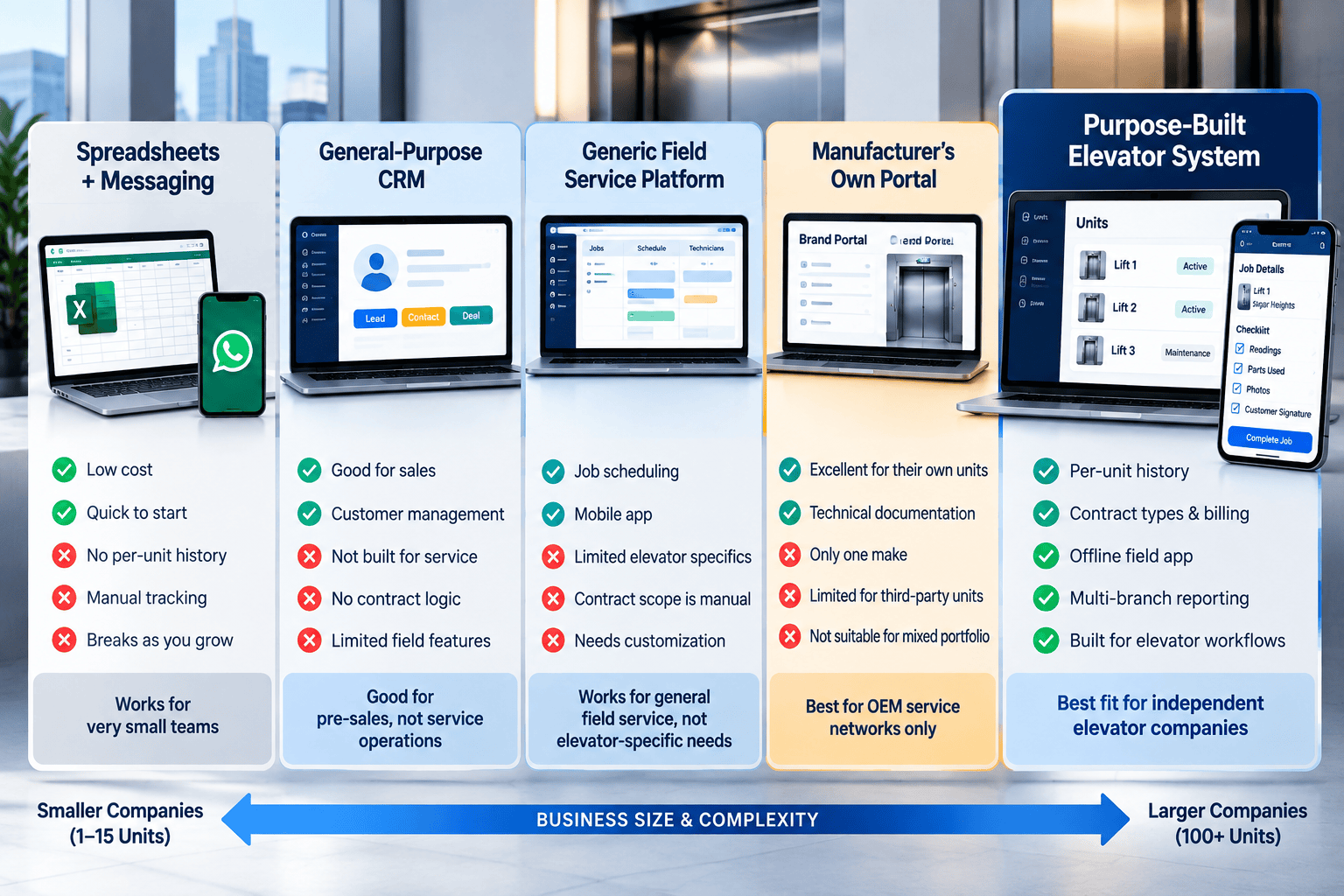
The per-unit field checklist
Use this as a test sheet in every demo. Ask the vendor to open one unit and show you where each field lives.
Unit identity
| Field | What it proves |
|---|---|
| Jurisdiction unit or certificate number | Ties your record to the AHJ's record |
| Building address and unit designation | Identifies the machine, not just the building |
| Equipment type and controller | Lets you attach the right MCP to the right unit |
| Maintenance agreement in force, with start and end dates | Shows who was responsible for the unit, and when |
| Current certificate expiry date | Shows when the next inspection is due |
Every maintenance visit
| Field | What it proves |
|---|---|
| Date and time on site, captured on the device | Attendance, without relying on memory |
| Mechanic name | Who did the work |
| MCP tasks performed, each with its result | What was checked, not just that someone came |
| Readings or test results where the task calls for them | The condition found, in numbers |
| Parts replaced | What changed on the unit |
| Deficiencies found and corrective action | What was wrong and what was done about it |
| Open items carried forward | What is still outstanding |
| Photographs linked to the task | The condition before and after |
| Customer acknowledgement | That the building side was told |
Every callback
| Field | What it proves |
|---|---|
| Time reported and time the mechanic arrived | Response time |
| Entrapment: yes or no | Whether passengers were involved |
| Cause found | The fault, not just the symptom |
| Action taken and time returned to service | How long the unit was down |
| Link to any related MCP task | Whether the program needs to change |
Inspections and tests
| Field | What it proves |
|---|---|
| Date of each periodic inspection or test, and the inspector | The inspection history of the unit |
| Result, with any citations or violations issued | What the AHJ found |
| Correction made and date closed for each citation | That every finding was acted on |
| Certificate stored against the unit | That the paper is where you can find it |
This list does not include test intervals. Set them per unit from your own AHJ's requirements, not from a vendor's default.
What is an evidence chain, and why does it matter?
A record is only as strong as the answer to "how do you know?" An evidence chain is the set of facts that makes a record believable to someone who was not there.
Five questions make the chain:
- Who did the work, identified by login, not by a name typed into a box.
- When it happened, stamped by the device at the time, not entered afterwards.
- Where the mechanic was, if your SOP calls for it.
- What was done, task by task, with photographs attached to the task they show.
- Who acknowledged it on the building side.
Then ask one more: can a closed record be edited, and if it can, is the edit visible? A record that can be quietly changed after the fact is weaker than a paper log with a crossed-out line.
How should records link to the MCP?
The MCP is the plan for each unit: what gets checked, how often, and how. The maintenance record is the proof that the plan was followed. Software should hold both and connect them.
In practice that means three things:
- MCP tasks live in the software as checklist items, set per unit or per equipment type, with their own frequency.
- Each visit closes specific tasks. The record shows which items were done, not a free-text note saying "PM completed".
- Overdue tasks surface on their own. If a task has not been closed by its due date, the office sees it before the inspector does.
In ElevatorPlus, checklists are set up aligned to ASME A17.1 and stay fully configurable. You adjust them to match your own MCP, unit by unit or by equipment type, and track maintenance, callback and inspection visits against them. Your MCP is specific to your units, and the checklist should be too. Edits to a completed record are logged, so you can show who changed what and when.
👉 Can you pull five years of records for one unit in under a minute? See per-unit inspection management in ElevatorPlus →
Why does callback history belong on the unit?
Because a callback is evidence about your MCP.
One callback is a fault. Three callbacks on the same unit for the same cause is a pattern. An entrapment is a pattern you need to have seen first. If callbacks sit in a dispatch log and maintenance sits in a separate system, nobody connects them until someone outside your company does.
Keep callbacks on the same unit record as maintenance and inspections. Then one screen answers the questions a building owner or an AHJ will ask. How often does this unit go down, why, and what changed in the program afterwards? We cover the operating side of this in how US elevator companies cut callbacks with data.
How do you evaluate an elevator inspection software vendor?
Ask these eight questions in the demo, on screen, with one of your own units loaded.
| # | Question | A good answer | A weak answer |
|---|---|---|---|
| 1 | Show me one unit's full history on one screen | Maintenance, callbacks, inspections and certificates together | "You can run a report for that" |
| 2 | Can we configure checklists to match our MCP by unit type? | Yes, and you show us how | "Our template covers the code, you will not need to change it" |
| 3 | Are time and photographs captured on the device at the time of work? | Yes, stamped by the app | "The mechanic enters the time" |
| 4 | Can a closed record be edited, and is the edit visible? | A clear yes or no, and how changes are shown | "That never comes up" |
| 5 | How are callbacks and entrapments recorded? | On the same unit record, with cause and time to return to service | In a separate dispatch log |
| 6 | How do inspection due dates and open citations surface? | Alerts before they fall due, per unit | "Check the calendar" |
| 7 | How do we export five years of records for one unit? | A structured export with attachments | "Download a PDF" |
| 8 | Who sets up our units, MCP checklists and history? | Named people, a timeline, and what is included | "Our self-service guide covers it" |
Question 7 is the one buyers skip. Five-year retention outlasts many software contracts. We set out what a complete data export should include when you leave a vendor.
Where ElevatorPlus fits
ElevatorPlus is an Elevator Business Operating System used by 200+ elevator companies across 20+ countries. For inspections specifically:
- Checklists aligned to ASME A17.1 and fully configurable to your own MCP, completed on the mechanic's phone with photographs and notes.
- Customer signature at the unit, attached to the visit record.
- Per-unit history, with maintenance, callbacks, inspection dates and stored certificates in one place.
- Inspection due-date alerts per unit, and maintenance agreement renewal reminders 60 days, 30 days and 1 day before expiry.
- Live technician location and distance travelled on Android, configurable to your own SOP.
Most customers are fully live within 2 to 7 days, with data migration, configuration and team training included. More on how we work with US contractors is on our page for elevator service software for US contractors.
Frequently asked questions
1. What is elevator inspection software?
Software that holds maintenance, callback and inspection records for each elevator unit and links them to the unit's MCP. It also tracks inspection due dates and certificates, so records can be produced when the AHJ asks.
2. Does ASME A17.1 allow electronic maintenance records?
Yes. ASME A17.1 Section 8.6 explicitly permits electronic records.
3. How long must elevator maintenance records be kept?
ASME A17.1 Section 8.6 calls for five-year retention. Confirm the code edition and any local requirements your AHJ enforces.
4. What should an elevator maintenance record include?
The unit, date and time on site, the mechanic, the MCP tasks performed with results, parts replaced, deficiencies and corrective action, open items, photographs and customer acknowledgement.
5. How does an MCP relate to inspection software?
The MCP is the plan for each unit. The software should hold its tasks as checklist items and show which ones each visit closed, so overdue tasks surface before an inspection.
6. Should callbacks be recorded against the unit?
Yes. Callbacks and entrapments on the same unit record as maintenance show whether the program is working, and that is a question an AHJ or building owner may ask.
7. Are ElevatorPlus checklists aligned to ASME A17.1?
Yes. Checklists are set up aligned to ASME A17.1 and are fully configurable, so you match them to your own MCP and track maintenance, callback and inspection visits against them. Confirm with your AHJ which code edition applies to your units.
8. What should I ask an elevator software vendor about inspections?
Ask to see one unit's full history on one screen, and how checklists map to your MCP. Ask whether time and photographs are captured at the time of work. Ask whether closed records can be edited, and how you export five years of records.
📲 Join our WhatsApp channel for compliance tips, updates: ElevatorPlus - Business Automation Tool
The code already tells you what to keep. Per-unit records, five years, electronic allowed. The software decision is about whether you can produce those records, complete, for one unit, on the day someone asks.
Most systems can store a record. Fewer connect it to the MCP task it satisfies, the callback that followed it, and the citation that preceded it. That connection is what turns a stored record into an answer.
Buy on the field checklist and the eight questions, not on the demo dashboard. Load one of your own units and ask the vendor to walk you through five years of it. You will know within ten minutes.
👉 See one of your own units in ElevatorPlus, five years deep. Book the Revenue Leak Walk-Through →
Related reading
- Elevator Inspection Readiness USA: Stay Audit-Ready
- Elevator Maintenance Control Program (MCP) USA Explained
- ASME A17.1 Compliance 2026: US Elevator Contractor Guide
- How US Elevator Companies Cut Callbacks with Data
- Software for Elevator Maintenance Tracking and Compliance
About the author. Mr.Sujit Katariya works with elevator companies implementing ElevatorPlus, the Elevator Business Operating System used by 200+ elevator companies across 20+ countries.
Sources: ASME A17.1, Safety Code for Elevators and Escalators, Section 8.6.
👉 Follow ElevatorPlus on,
Instagram LinkedIn Facebook YouTube Qoura Substack Twitter