Elevator Software and Tally: What to Sync, What to Keep
Elevator Software and Tally: What Should Sync and What Should Stay in Tally
By Mr. Sumeet Katariya, ElevatorPlus
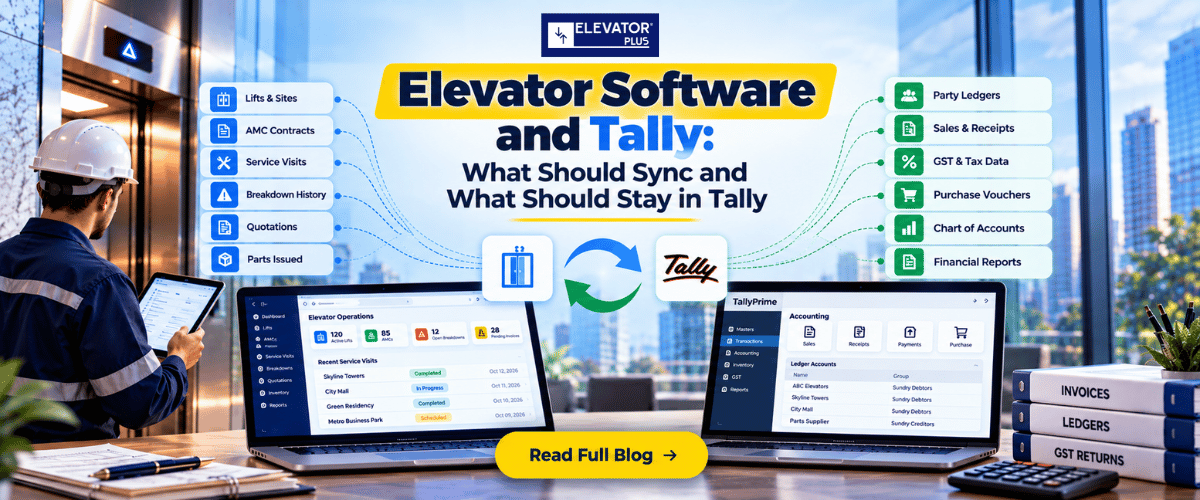
In short: An elevator software Tally integration works when each system keeps its own records. Lift software owns lifts, AMCs, visits, breakdowns, quotations and parts issued. Tally owns the books: party ledgers, sales and receipt vouchers, GST and the chart of accounts. Sync only what crosses that line, mostly one way, on a fixed schedule. Agree a cutover date, decide who owns the sync after go-live, and leave old vouchers in Tally.
Key takeaways
- Every record needs one home. If a customer's GSTIN or billing address can be edited in both systems, the two copies will drift apart within a quarter.
- Most records should sync one way. Billable events go from lift software to Tally. Payment status comes back. Very little else needs to move.
- Some records should never reach Tally. Lifts, AMC terms, visit checklists and breakdown history stay in the lift software. Ledgers, GST setup and vouchers stay in Tally.
- Stock is the record most companies get wrong. Decide which system holds stock quantities, and keep the other one out of it.
- Cutover is a date, not a feeling. Pick the first day of a month, or 1 April, and decide which system collects anything still open on that day.
- A sync nobody owns will fail quietly. Put a name against monitoring, mapping changes and month-end reconciliation before work starts.
What this guide covers: where lift software ends and Tally begins · the sync table · one-way vs two-way · where stock lives · cutover · who builds and owns the sync · how ElevatorPlus handles this · FAQs
Where does elevator software end and Tally begin?
Most Indian lift companies run Tally for accounts, and a complaint register, Excel sheets and WhatsApp groups for everything else.
When you bring in lift software, the first question is not "how do we connect it to Tally?" It is "which system owns which record?" Answer that and the integration almost designs itself. Skip it and your accountant and your service head will spend every month-end arguing over whose number is right.
If you are still deciding what the service side should cover, start with What Is Elevator Service Software? A Straight Answer for Lift Companies.
| Belongs in lift software | Belongs in Tally |
|---|---|
| Sites, lifts and their equipment details | Chart of accounts and ledger groups |
| AMC contracts, terms, start and expiry dates | Party ledgers with GSTIN and billing details |
| Preventive maintenance visits and checklists | Sales vouchers and the invoices you raise |
| Breakdown complaints, attendance and closure | Receipt vouchers and bank entries |
| Repair and modernisation quotations | GST setup, tax ledgers and returns data |
| Parts issued to a technician against a job or lift | Purchase vouchers and supplier payables |
| Technician attendance, leave, overtime and expenses | Financial statements and audit trail of the books |
Lift software runs the lift business. Tally keeps the books. A good integration respects that split and moves only what each side needs from the other.
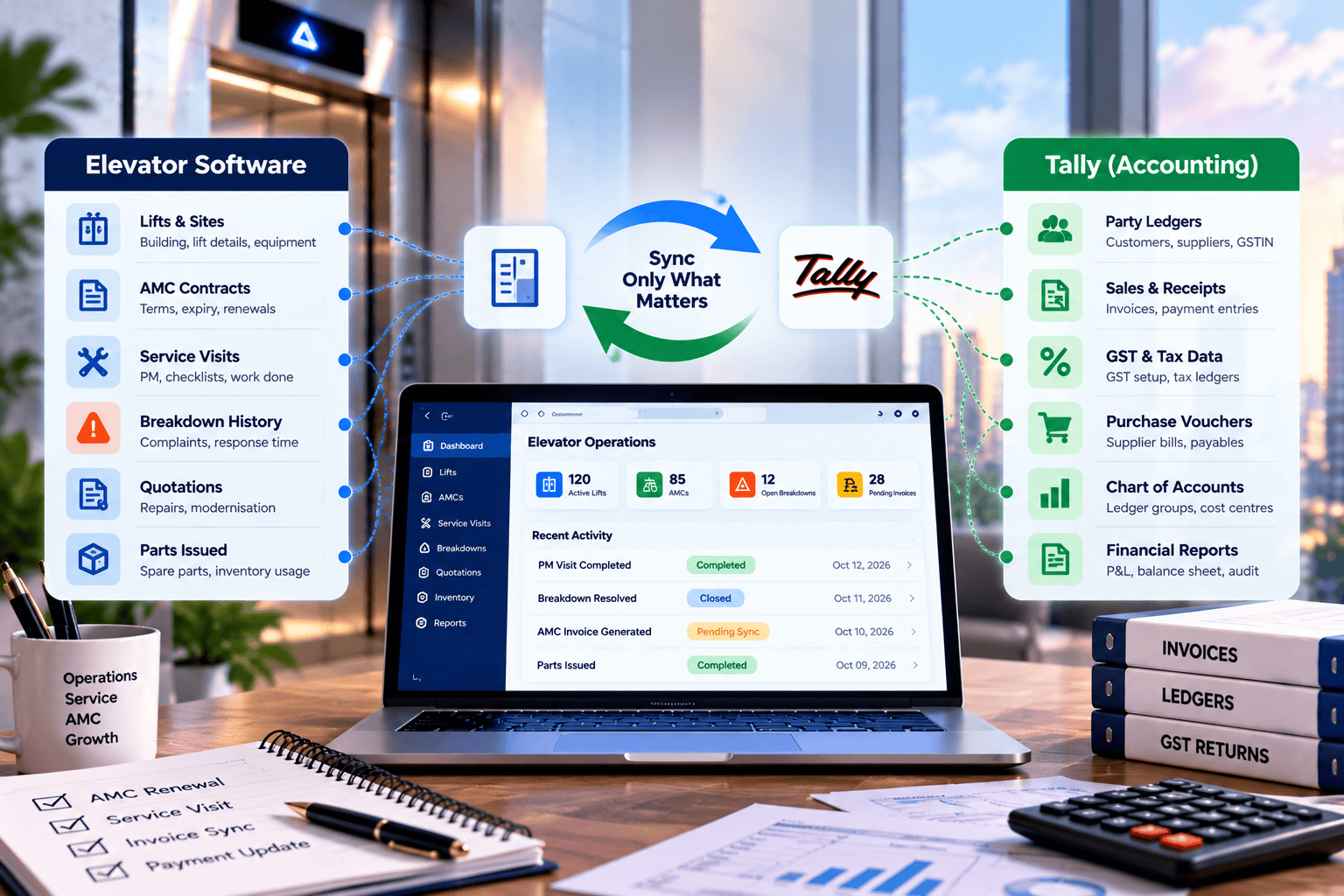
The sync table: record, home, direction, frequency
This is the table to agree with whoever builds your integration. Fill in the owner column with a person's name, not a department.
| Record | System of record | Direction | Frequency | Owner |
|---|---|---|---|---|
| New customer (billing party) | Lift software, where the enquiry starts | Lift software to Tally, as a party ledger | On create and on change | |
| GSTIN and billing address | Choose one system and hold to it | One way only | On change | |
| Sites and lifts | Lift software | No sync | Not applicable | |
| AMC terms and expiry dates | Lift software | No sync | Not applicable | |
| AMC billing period due | Lift software | Lift software to Tally, as a sales voucher or a prompt to raise one | On due date, or a daily batch | |
| Accepted repair quotation | Lift software | Lift software to Tally, as a sales voucher or a prompt to raise one | On acceptance or on job close | |
| Invoice number and amount | Tally | Tally to lift software | Daily | |
| Payment received | The system where your team records it first (pick one) | Tally to lift software, status only | Daily | |
| Credit notes and write-offs | Tally | Tally to lift software, status only | Daily | |
| Supplier purchase bills | Tally | No sync for the bill itself | Not applicable | |
| Technician attendance, leave, overtime and approved expenses | Lift software | Lift software to your payroll system | Each pay period | |
| Ledger groups, cost centres and GST ledgers | Tally | No sync. Map once at setup | Review when they change |
Two rows need more thought than the rest.
Payment received. Decide where a payment is recorded first, and record it only there. If your accountant posts the receipt voucher in Tally, the service office needs the status back daily. If your office logs the payment in the lift software, the receipt entry should be created in Tally from it, so nobody keys it twice. Either way, the person deciding whether to send a technician for chargeable work can see whether the society has cleared its last two bills. ElevatorPlus payment management logs every payment received and the next due date, and reminds your team when a collection follow-up is due. The invoice itself stays in Tally.
GSTIN and billing address. This is the field that causes the most month-end pain. A society changes its billing name after a committee election. The service office updates it in one place and the accountant in another. Pick one system as the home for billing identity, and let the other receive it.
Should the sync be one-way or two-way?
One-way for almost everything. Two-way only for status fields, such as invoice number and payment status.
A two-way sync means both systems can change the same record. That needs conflict rules: which edit wins, what happens when both change on the same day, and who gets told. Without those rules you get duplicate ledgers, silent overwrites and a receivables figure nobody trusts.
A one-way sync is easier to reason about. The record is created and edited in one place. The other system receives a copy and does not change it. When something looks wrong, there is only one place to fix it.
| One-way | Two-way | |
|---|---|---|
| Where you edit | One system only | Either system |
| Conflict rules needed | No | Yes |
| Risk of duplicate ledgers | Low | Higher |
| Effort to build and test | Lower | Higher |
| Best for | Customers, billable events, attendance | Invoice number, payment status |
If anyone offers "full two-way sync with Tally", ask which records it covers, and what happens when your accountant renames a ledger the same day your office edits the customer.
Where should stock live: Tally or lift software?
This is the decision most companies avoid, and then pay for.
Many lift companies keep stock items and godowns in Tally because their accountant set it up that way years ago. But the people who issue parts are in stores and in the field, not in accounts. If stock quantities live in Tally and parts are issued from the lift software, the two numbers will not match by the end of the first month.
There are two workable patterns. Pick one.
| Pattern | Stock quantities live in | Tally receives | Works best when |
|---|---|---|---|
| Operations first | Lift software, per store and branch | Purchase bills and a periodic stock valuation figure | Parts are issued daily to technicians against jobs and lifts |
| Accounts first | Tally | Nothing from stores; lift software records parts used on a job for billing only | Stock is small and issued rarely |
Most AMC-heavy companies end up on the first pattern. The technician needs a part against a specific lift today, and the store needs to see it leave. ElevatorPlus inventory holds stock per store and branch, records supplier purchases, issues parts to a technician against a job or lift, raises low-stock alerts and produces a stock valuation report. The purchase bill and the supplier payable still sit in Tally.
👉 Want to see which of your records would stay in ElevatorPlus and which would go to Tally? See how ElevatorPlus connects to the accounting tools you already run →
How do you cut over without a messy month-end?
Most of the work sits in customer data, not in the integration.
Choose a cutover date: the first of a month, or 1 April if you can wait for the new financial year. From that date, new billable events start in the lift software and flow to Tally. Anything raised before that date is collected and closed the old way.
| What breaks | Why it happens | Fix it before cutover |
|---|---|---|
| Duplicate party ledgers | The same society entered three ways over ten years | Merge in Tally first, then load one clean customer list |
| Societies stored as one ledger for many sites | One builder or facility company owns several buildings | Keep one billing party, add each site and its lifts under it |
| Lifts with no ID | Registers list buildings, not lifts | Give every lift an ID before migration, ideally its licence or registration number where your state issues one |
| Open invoices at cutover | A bill raised in one system is chased from the other | Decide which system follows up anything open on cutover day |
| Old vouchers | Teams try to move years of invoices into lift software | Leave voucher history in Tally. Bring over AMCs, lifts and service history only |
| AMC billing dates | They live in someone's head or a register | Load them as part of each AMC record |
Run both processes side by side for one full billing cycle. At the end, compare the invoices raised and the open receivables in both systems. If they match, switch off the old process. We go through the wider reasons go-lives stall in Why Elevator Software Implementations Fail in Month Four.
Who builds the sync, and who owns it after go-live?
These are two different questions, and the second one matters more.
There are three ways to build it:
- Your Tally partner or accounting vendor. They know your company file, your ledger groups and how your GST is set up.
- Your own team. Workable if you have someone technical who will still be with you in two years.
- The lift software vendor. They know their own data best.
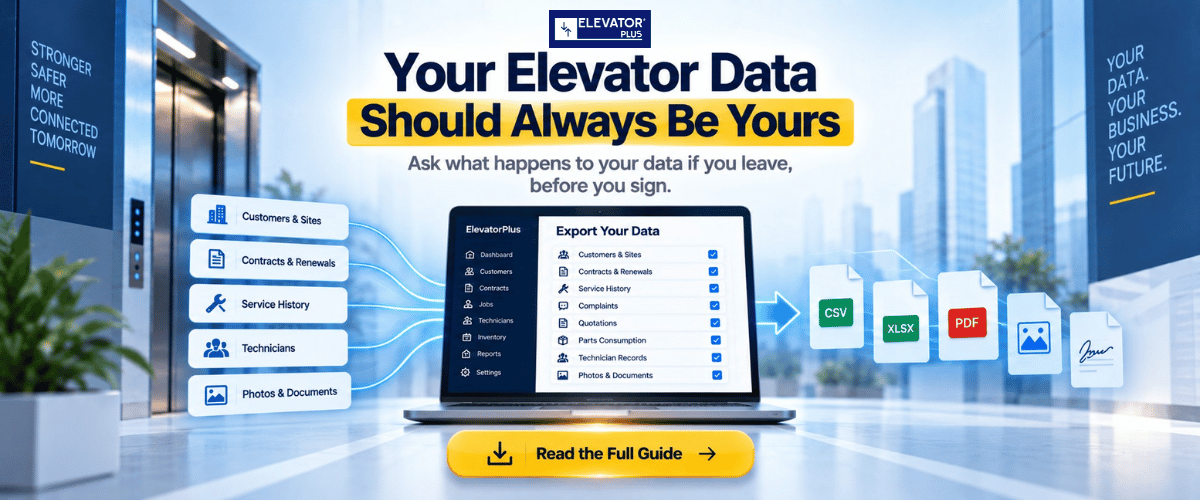
Ownership is what happens after go-live. Someone watches for records that failed to reach Tally. Someone updates the mapping when you add a new branch, a new service item or a new GST ledger. Someone answers when receivables in one system do not match the other. Write a name against each of those three jobs before you sign. And agree now how you get everything out if you leave: we set out what a complete data export should include when you leave a vendor.
Before anyone starts, also confirm where your Tally runs: on one office computer, on a server, or on a remote set-up. The integration has to reach it, and that decides how often it can run.
How ElevatorPlus handles this ?
ElevatorPlus is not an accounting platform, and it is not trying to replace Tally. Your books, vouchers and GST stay where your accountant already keeps them. ElevatorPlus never creates invoices. It keeps the receipts of payments collected, and your team can upload any file, invoices included, to Important Documents against the customer.
Tally connects through a live add-on, built on a third-party connector. Four modules are active today:
| Module | What it does | Direction |
|---|---|---|
| Bank name sync | Bank master data from Tally is available in ElevatorPlus | Tally to ElevatorPlus |
| Company info sync | Company details stay consistent across both platforms | Kept in step between the two |
| Supplier sync | Supplier records from Tally appear in ElevatorPlus automatically | Tally to ElevatorPlus |
| Receipt creation | When a payment received is logged in ElevatorPlus, a matching receipt entry is created in Tally | ElevatorPlus to Tally |
So your office logs a payment once, in ElevatorPlus, and your accountant sees the receipt in Tally without keying it again. Invoice, purchase order and delivery challan sync are not live yet; ask us for the current status before you plan around them.
Two things to check before you start. The add-on works with standard Tally installations; if a third party has customised your Tally, it will not be compatible, so confirm your setup first. Initial setup and a walkthrough with your team take about one week at most.
Other accounting platforms connect through our open API. That integration is built by your accounting vendor, by your own team in house, or by us at a mutually agreed cost.
Whichever route you take, the sync table above is the document to agree first. Data migration, configuration and team training are included in setup, and most customers are fully live within 2 to 7 days.
Frequently asked questions
1. Does lift software replace Tally?
No. Lift software runs AMCs, visits, breakdowns, quotations and stores. Tally keeps the books, vouchers and GST. Each should be the system of record for its own data.
2. What should sync between elevator software and Tally?
New customers and billable events from the lift software to Tally, and invoice numbers and payment status from Tally back to the lift software. Lifts, AMC terms, checklists and breakdown history do not need to reach Tally.
3. Should the sync be one-way or two-way?
One-way for almost every record, so each record is edited in one place. Two-way only for status fields such as invoice number and payment status.
4. Should stock be kept in Tally or in lift software?
Pick one. If parts are issued daily to technicians against jobs and lifts, keep stock quantities in the lift software and send purchase bills and stock valuation to Tally.
5. When is the best time to cut over?
The first day of a month, or 1 April at the start of the financial year. Decide in advance which system follows up any invoice still open on that day.
6. Does ElevatorPlus integrate with Tally?
Yes, through a Tally add-on built on a third-party connector. Today it syncs bank names, company information and suppliers from Tally, and creates a receipt entry in Tally when a payment is logged in ElevatorPlus. It works with standard Tally installations, not third-party customised ones, and setup takes about one week at most. Other accounting platforms connect through the ElevatorPlus open API.
7. Should we move old invoices into the lift software?
No. Leave voucher history in Tally. Bring over customers, sites, lifts, AMC contracts and service history.
📲 Join our WhatsApp channel for compliance tips, updates: ElevatorPlus - Business Automation Tool
Connecting lift software to Tally is not a technical problem first. It is a decision about which system owns which record, and most companies have never had to make it because one register and one accountant did everything.
Make that decision on paper. Keep the sync one-way wherever you can. Choose where stock lives and stop keeping it in two places.
Then put a name in the owner column. A sync with no owner works for three months and then drifts, and you find out at year-end when the auditor asks why receivables do not match.
Done properly, your office stops typing the same bill twice, and your service head can see who has paid before sending a technician for chargeable work.
Related reading
- What Does Elevator Software Cost in Year One? A Buyer's Framework
- Elevator Software vs Generic ERP: Which One Actually Fits
- Elevator AMC Collections: Stop Unpaid Invoices 2026
- Why Elevator Software Implementations Fail in Month Four
- What Happens to Your Lift Data If You Leave a Vendor?
About the author. Mr. Sumeet Katariya is the founder of ElevatorPlus, the Elevator Business Operating System used by 200+ elevator companies across 20+ countries.
Sources: Drawn from ElevatorPlus onboarding work with 200+ elevator companies across 20+ countries.
👉 Follow ElevatorPlus on,
Instagram LinkedIn Facebook YouTube Qoura Substack Twitter