Elevator Field Service Software: Buyer's Framework
By Sumeet Katariya, ElevatorPlus ·
In short: Comparing elevator field service software is not a ranking exercise. It is a matter of deciding which requirements are elevator-specific and refusing to trade them away. Five categories compete for the work, running from spreadsheets plus a messaging app at one end to purpose-built elevator systems at the other, with generic field service platforms, general-purpose CRMs and a manufacturer's own portal in between. Score them yourself against per-unit history, contract types that drive billing, offline capture, multi-branch reporting and the export path on the day you leave. What you want out of an evaluation is not a winner. It is a set of weights you can still defend six months later, when somebody asks why you bought what you bought.
Key takeaways
- The unit, not the customer, is the record that matters. Most software centres a customer account with jobs attached. An elevator business needs permanent history attached to a specific lift, surviving a change of owner and a change of contract.
- Offline capture is a pass or fail test, not a feature bullet. Machine rooms and pits have no signal. Ask for a demonstration: a full job completed with the phone in airplane mode, then reconnected.
- Contract shape is where generic tools break first. Comprehensive, semi-comprehensive and labour-only run on different billing and parts logic. Software that treats a contract as a repeating calendar entry makes that your problem later.
- What breaks at 500 lifts is not what annoys you at 10. Small portfolios fail on adoption. Large ones fail on scheduling logic, parts availability and reporting that cannot answer a question per branch.
- Data export is a contract question, not a technical one. Get it in writing before you sign, in the format you will need on the day you leave.
What this guide covers: why elevators are a hard fit for generic tools · the five categories compared · a weighted scoring matrix · what to test in a trial · questions to put to a vendor in writing · what changes between 10 lifts and 500 · how to compare cost structurally · what to check about data export · FAQs.
Why is elevator work a hard fit for general field service software?
Field service software is a large, mature market, and its shape is consistent: a customer calls, a technician goes out, a job is done, an invoice follows. Plumbing, HVAC, fire safety and appliance repair all fit that shape comfortably.
Elevator work looks like it from a distance. Up close it is not.
An elevator is a regulated asset with a permanent identity. Serial number, controller type, rope specification, door operator, inspection history, and a legal owner who may change three times over the machine's life while the machine stays where it is. Your relationship is with the unit. The customer is a rotating attribute of it.
Then the contract, which is not a recurring job. It is a defined scope, a visit frequency, an inclusion and exclusion list for parts, a response commitment on breakdowns, and a renewal cycle your plan depends on. Most arguments with a customer are about scope, and what settles them is the contract linked to the unit linked to the visit.
Add the physical reality. Technicians work where mobile signal does not reach, carry parts they did not plan to use, and find a second lift in the same bank needing attention while standing there. None of it is exotic. It is just specific, and specificity is hard to retrofit.
What are the five categories you are actually choosing between?
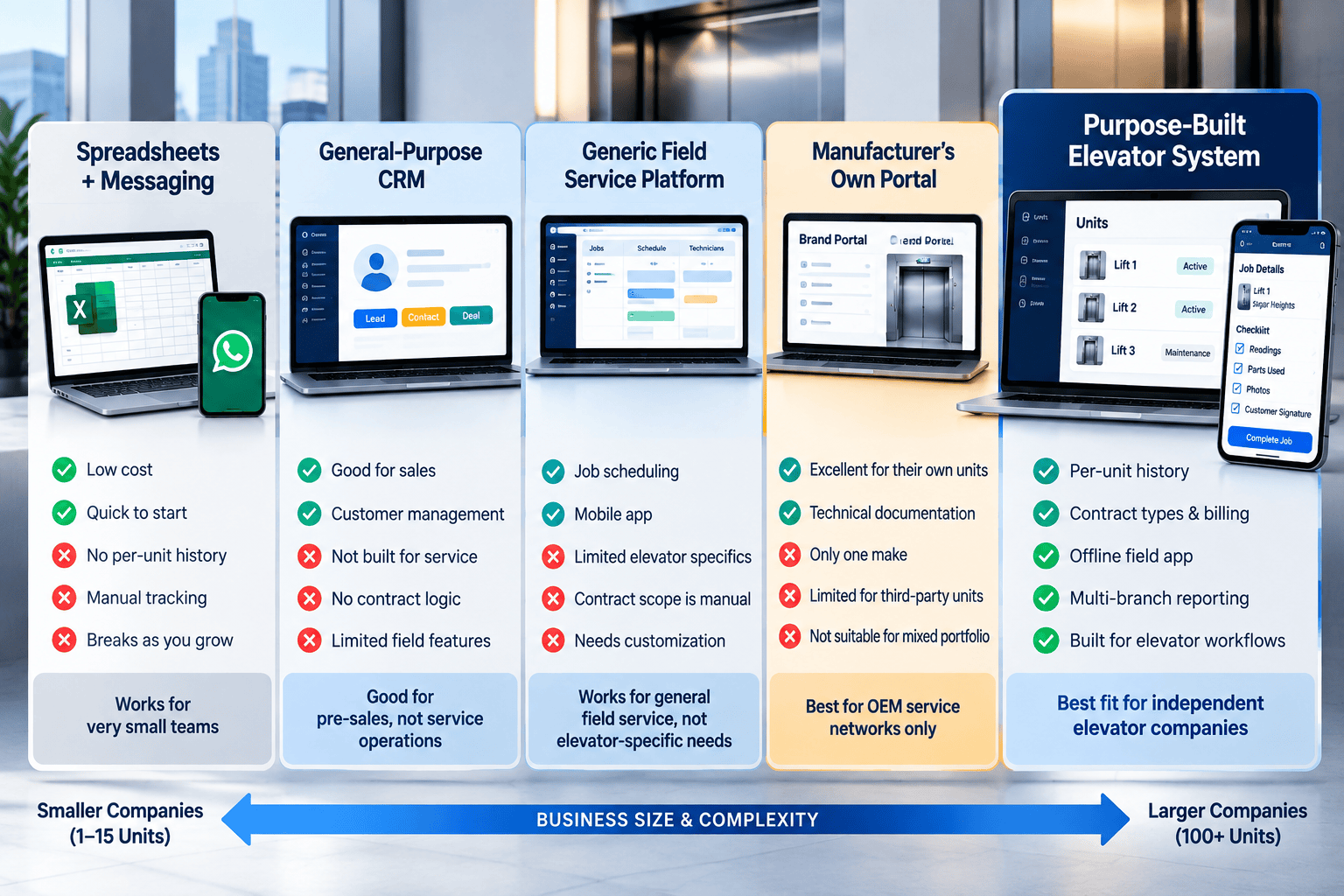
Strip the branding away and almost every option falls into one of five categories. Judge categories, not names: the category sets what is possible, the name only sets how well it is executed.
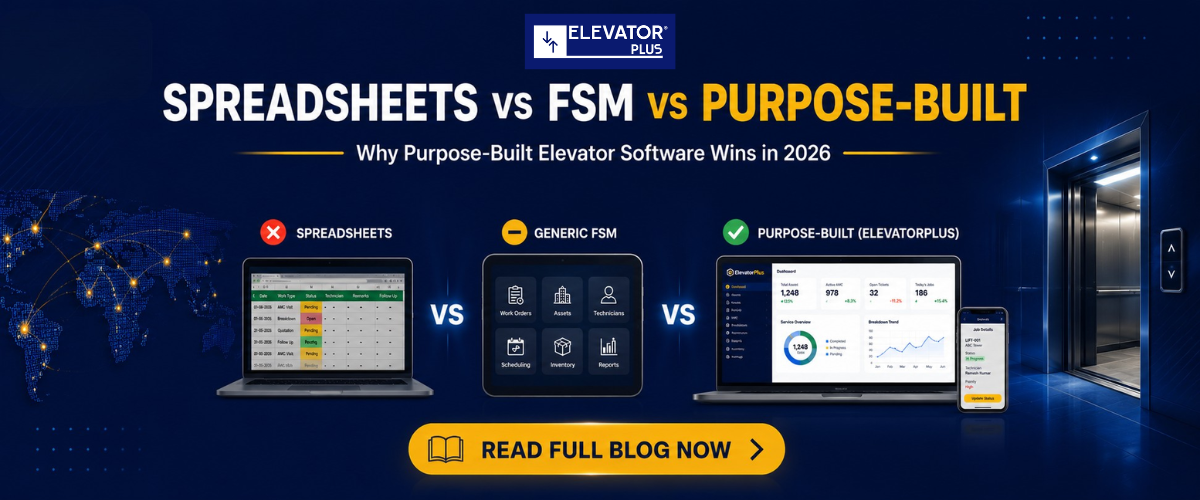
| Requirement | Generic field service platform | General-purpose CRM | Spreadsheets plus messaging | A manufacturer's own portal | Purpose-built elevator system |
|---|---|---|---|---|---|
| Permanent per-unit history | Asset bolted to a customer | Rarely, needs custom objects | No, history sits in chat | That maker's units only | Yes, by design |
| Banks of cars at one address | Separate assets or one site | Not modelled | Not modelled | Usually yes | Usually yes |
| Contract types drive billing and parts | Recurring jobs, scope is manual | Deals only, no service scope | Manual, disputed later | Fixed to that maker's terms | Yes, it drives the outcome |
| Offline capture in a machine room | Varies widely, test it | Almost never | No | Varies | Varies, still test it |
| Per-unit maintenance and inspection scheduling | Generic recurrence rules | Calendar reminders at best | A sheet someone maintains | To that maker's regime | Per unit and per contract |
| Where it usually fails | Contract scope and unit history | Everything after the sale | Above roughly 40 units | Units you did not buy from them | Breadth outside elevator work |
Read that last row honestly. A purpose-built system is narrow by construction. If your business runs a large unrelated division, or needs deep general accounting in the same tool, it will not be the whole answer.
Two categories deserve a fairer hearing than they get. Spreadsheets plus a messaging app are not a joke: for fifteen lifts and three technicians who know each other, they are fast, cheap and transparent, and the failure arrives slowly, as a rise in the number of things only one person knows. A manufacturer's own portal is often excellent inside its boundary, and its limit is structural rather than a quality problem: most independent maintenance companies carry a mixed fleet.
How do you score the options without ending up with a spreadsheet of opinions?
Set the weights before you see a single demo. Weights set afterwards get bent to fit whatever the loudest person in the room liked. Then score zero to five on evidence you watched, not claims you heard.
Most of a requirements list does not discriminate. Scheduling, invoicing, a mobile app, notifications: every serious option does these. Keep them on the checklist, give them almost no weight.
| Criterion | Weight | What a 5 looks like | What a 0 looks like | Score |
|---|---|---|---|---|
| Permanent per-unit history | 5 | Lifetime record per lift, survives owner change | History hangs off a customer | |
| Offline field capture | 5 | Full job with no signal, clean sync after | App needs a live connection | |
| Contract types drive billing | 5 | Scope and parts applied automatically | Contract is a text field | |
| Per-unit maintenance scheduling | 4 | Per unit and contract, visible overdue state | Generic calendar recurrence | |
| Breakdown loop with cause and remedy | 4 | Cause codes, parts used, time to close | Free-text notes | |
| Multi-branch separation and roll-up | 4 | Branch-scoped data with a group view on top | One flat company and a filter | |
| Data export on exit | 4 | Self-service, documented format, no fee | A vague answer or a ticket | |
| Technician adoption | 3 | Least technical technician works unaided | Training needed for basics |
Multiply, total, then look at what the top two scores disagree about. That disagreement is the real decision. One discipline keeps the matrix honest: score only what you saw working. An undemonstrated claim scores zero until a trial says otherwise.
Watch the criteria list itself, too. Remote diagnostics, sensor-based condition monitoring and failure forecasting are separate technologies with their own hardware and their own cost. They are not what a field service system is, and ElevatorPlus does not do them. Do not let a list quietly import capabilities nobody in your shortlist ships.
What should you actually test during a trial?
A trial on sample data tells you nothing. Load your own reality in, small but real. Five units across three buildings, one a bank of two or more cars. One comprehensive contract and one labour-only. Two technicians, one of them the person least likely to enjoy new software. Seven tests follow.
- Airplane mode. Complete a full job with no connection, photos and signature included, then reconnect. Check nothing was lost or duplicated.
- Building sale. Change the owner of a unit. Confirm the history stays with the lift.
- Scope argument. Log the same breakdown against both contract types. Confirm billing differs without anyone intervening.
- The bank. Raise a job for one car in a bank of three. Confirm the other two stay visible and separately addressable.
- Overdue. Let a scheduled visit pass its date. Confirm somebody is told, in a way that survives a busy week.
- The questions. Ask the system your six real reporting questions. Not the vendor. The system.
- Export. Export everything you created, and open the file yourself.
Any option failing test one, three or seven is out, whatever it scored elsewhere.
👉 Want to see an elevator-specific workflow end to end before you finalise your criteria list?
Walk through the feature set →
What questions should you put to any vendor in writing?
Verbal answers evaporate. These belong in email, and the quality of the reply is data in itself.
- What exactly is the elevator-specific data model? Name the entities and how they relate.
- Can a technician complete a job with no network connection, and what happens on reconnect?
- How is a bank of cars at a single address represented?
- How do contract types affect billing, parts inclusion and reporting?
- Which parts of the mobile experience differ between Android and iOS?
- What is included in implementation, and what is quoted separately?
- Who does the data migration, and who validates it?
- What is the export path if we leave, and how long does it take?
- What is the support commitment, in hours and channels, in our time zone?
The fifth question is not filler. Platform differences are real and rarely volunteered. Our own example: in ElevatorPlus, GPS and live technician location are Android only. That belongs on the record before deployment, and every vendor has an equivalent worth extracting.
Pin down the human resources side too, because "HR module" means wildly different things. In ElevatorPlus, HRMS covers attendance, leave, overtime and approved expenses, not payroll. Vagueness here creates a second procurement later.
What changes between 10 lifts and 500, and what does a second branch add?
Failure modes are not the same problem in different sizes. They are different problems.
| Portfolio | What usually breaks | What the software has to solve |
|---|---|---|
| 10 to 40 units | Adoption, and knowledge sitting in one head | Speed and simplicity, plus a record that outlives the individual |
| 40 to 150 units | Scheduling collisions, missed visits, invoice leakage | Per-unit scheduling, overdue visibility, contract-driven billing |
| 150 to 500 units | Route efficiency, parts availability, uneven job quality | Territory logic, stock against jobs, structured job data |
| Above 500 units | Reporting nobody trusts, branch variation nobody can see | Clean data model, per-branch reporting, permissions that hold |
Buying for today's count is a trap. Buying for a count five years away, paying in complexity every day until then, is the same trap facing the other way.
A second branch changes the shape more than growth does. It demands separation, so a branch manager sees their own operation. Roll-up, so the group sees one picture without collecting spreadsheets. And consistency, because two branches left alone invent two ways to record the same fault, and within a year the group report is fiction. Ask whether branch is a first-class concept or a filter, because a filter can be removed by anyone allowed to remove filters.
How do you compare cost without comparing prices?
Prices belong in a proposal. Structure is comparable, and it is where the surprises live.
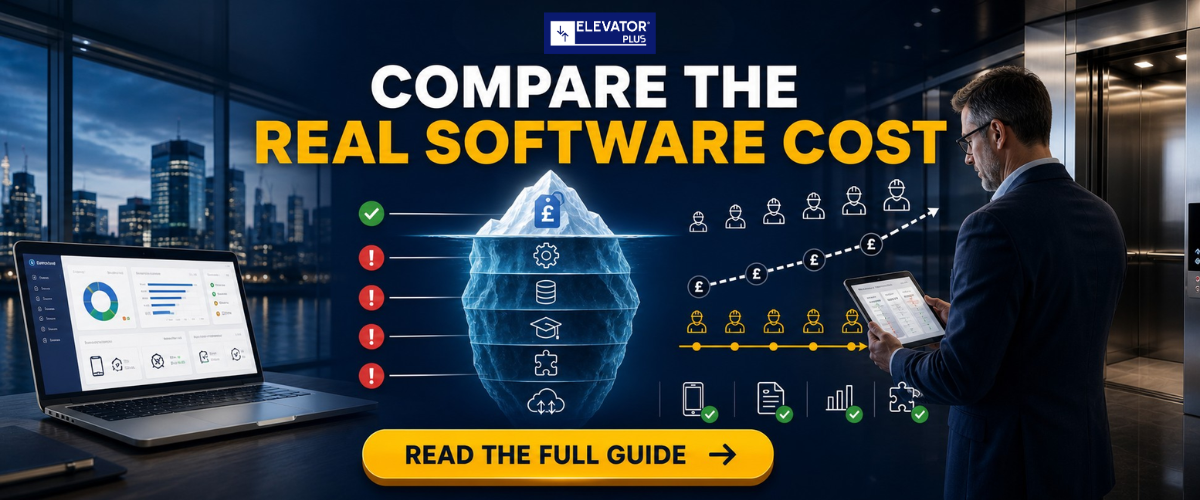
Start with the billing unit. Per user and per lift pull in opposite directions. Per user punishes headcount and rewards portfolio growth. Per lift does the reverse. Model both against where you expect to be in three years, and ask what happens to a shared office login or a subcontracted technician under each.
Then separate the one-off from the recurring. Implementation, configuration, migration and training are one-off, so ask in writing which are included and which get quoted later, because "included" is the most elastic word in software procurement. Hunt the conditional costs too: extra branches, photo storage, a sandbox, integration work, support at the level you need rather than the level bundled by default.
Finally, price the incumbent honestly. Spreadsheets and messaging apps look free. The real cost is administrative hours, disputed invoices, missed visits and history you cannot produce when a customer or an inspector asks.
What do you need to check about data export before you sign?
This is the question buyers skip and regret. Your unit history, contracts, job records, photos and signatures are a commercial asset, and the evidence behind every renewal and dispute. Whether you can get them out is decided at signature, not at exit. Ask five things, and put the answers in the contract rather than a sales email.
Can we export without asking you? Self-service beats a support request, because the day you want your data is rarely the day the relationship is warmest. And in what formats? Structured data as CSV or a documented export, not a PDF report. Attachments as files, not links that expire.
Does it include everything? Job history, unit history, contract terms, attachments, signatures, audit trail. Partial exports are common.
How long do we have after cancellation, and is there a fee? A defined window, written down, and a direct answer on cost. A no in writing beats a shrug.
A vendor confident in the product answers all five in a paragraph. Hesitation tells you about the next few years.
Frequently asked questions
1. Is elevator-specific software really necessary, or is generic field service software good enough?
It depends on portfolio size and contract complexity. Below roughly forty units with simple contracts, a well-configured generic platform can work. Above that, or wherever contract scope drives billing, configuration effort keeps growing and the unit-history gap keeps costing you. Score both on the same matrix.
2. What is the biggest structural difference between elevator software and general field service tools?
The record at the centre. Generic tools centre the customer. Elevator work centres the unit, because the lift outlives the owner, the contract and often the servicing company. A product that cannot give a lift a permanent lifetime history passes that limitation to everything downstream.
3. Can we run an elevator business on spreadsheets and a messaging app?
Many do, and at small scale it is reasonable rather than embarrassing. It stops working when history that exists only in chat threads has to be produced on demand, or when a customer disputes what was covered.
4. What is the most common mistake elevator companies make when choosing software?
Weighting the wrong things. Evaluations fill up with features every option has and skip the three or four where options genuinely differ. Second most common is skipping the offline capture test, which gets discovered in the first month of live use.
5. Does ElevatorPlus do predictive maintenance or remote monitoring?
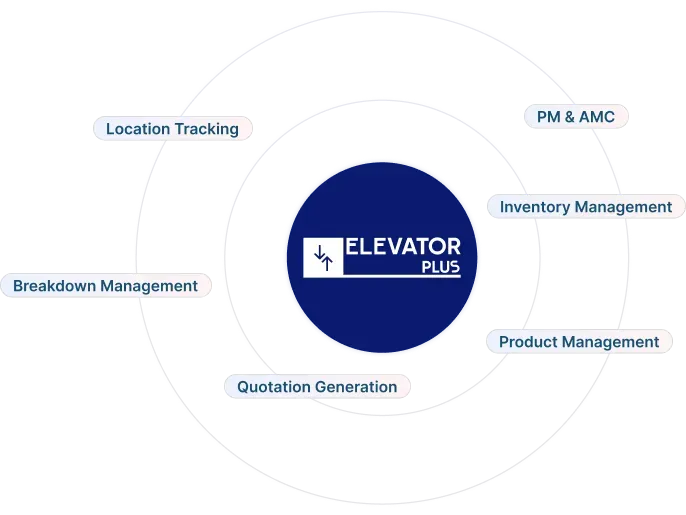
No. ElevatorPlus is an Elevator Business Operating System covering the operational workflow: units, contracts, maintenance scheduling, breakdowns, quotations, work orders, inventory, field teams and branches. Remote diagnostics, sensor-based condition monitoring and failure forecasting are separate technologies with their own hardware and are not part of it.
6. How do we compare cost if nobody publishes a price?
Compare structure instead. Per user against per lift, one-off against recurring, and what sits behind the word included. Ask every vendor to model the same three-year scenario using your expected headcount and portfolio, then compare the models.
The reason "best elevator software" lists disappoint is that they answer a question nobody has. You do not need to know which product is best in general. You need to know which fits your portfolio, contract mix, branch count and team.
A framework survives that. A shortlist does not. So do the unglamorous version. Write the criteria before the demos, weight them before you meet anyone, and score only what you watched working on your own data. Treat per-unit history, offline capture, contract-driven billing and the export path as the four that decide it.
Where does a purpose-built elevator system win? Where the elevator-specific criteria carry real weight and the business is squarely an elevator business. Where does it not? Where the portfolio is small and simple enough that configuration effort is not a cost, where one manufacturer's portal already covers nearly everything, or where you need depth well outside the elevator workflow. A vendor unwilling to say the equivalent about their own product has told you something useful.
Run the matrix. Let the scores argue. Then buy whichever wins on criteria you set before anyone tried to sell you anything.
👉 See how units, contracts, branches and field teams hold together in one system. Book a demo →
Related reading
- Breakdown management: turning a call into a closed record
- PM and AMC reminders for per-unit maintenance scheduling
- Multi-branch operations: separation, roll-up and permissions
- Work order management from assignment to closure
- Integrations and how ElevatorPlus fits alongside your existing tools
About the author. Sumeet Katariya is the founder of ElevatorPlus, the Elevator Business Operating System used by 200+ elevator companies across 20+ countries.
👉 Follow ElevatorPlus on,
Instagram LinkedIn Facebook YouTube Qoura Substack Twitter