Who Sees What Is Completely Your Decision
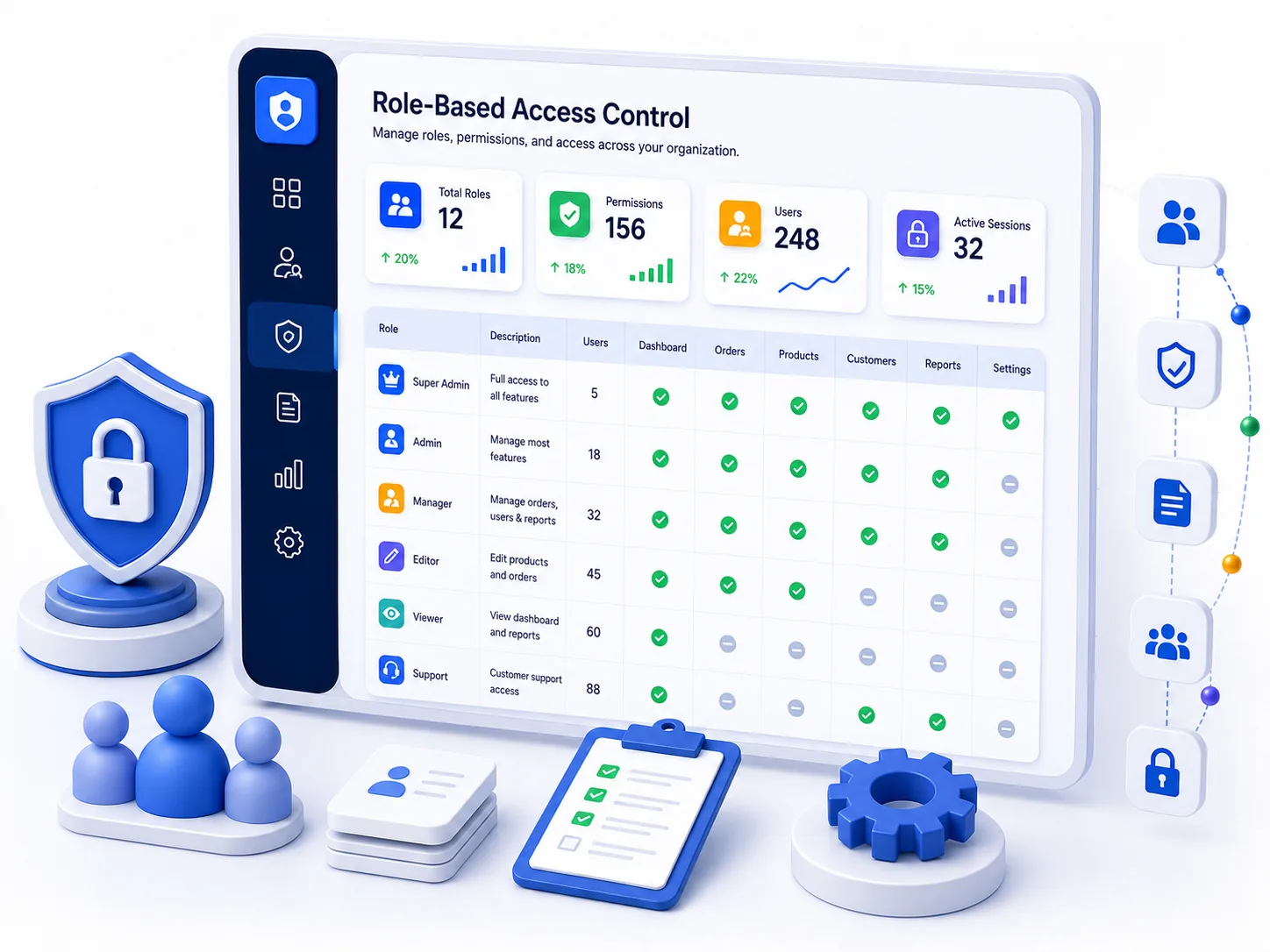
ElevatorPlus gives you 100+ configurable access control roles - defining exactly which modules, screens, reports, and actions each user can access.
The Real Cost of Uncontrolled Access
Sensitive Data Exposed
Financial reports, client pricing, and salary data are visible to everyone because there are no access controls
Over-Privileged Users
Technicians can edit client records and approve purchase orders - far more access than their role requires
No Audit Trail
When data goes missing or is changed incorrectly, there's no way to know who did it or when
Granular Access Control Across Every Module
Role Library (100+ Pre-Built)
Pre-built roles for field technician, branch manager, accounts executive, sales manager, HR, CFO, CEO, and many more - ready to use out of the box.
- ✓100+ pre-built roles
- ✓Fully customizable per role

Role Customization
Each role is fully configurable. Enable or disable access to modules, screens, specific actions (view/create/edit/delete/approve), and reports.
Module-Level Control
Define which modules each role can access entirely. A technician role may have access to breakdowns and PM but not to quotations or finance.
Action-Level Control
Within a module, control read vs. create vs. edit vs. delete vs. approve permissions independently. Maximum granularity.
Report-Level Control
Define which reports each role can see and export. Financial reports restricted to finance roles. Technician reports available to field managers only.
User Assignment
Assign one or more roles to each user. Role changes take effect immediately. Users can have different roles per branch.
Old Way vs. ElevatorPlus Access Control
| Process | The Old Way | ElevatorPlus |
|---|---|---|
| Role Definition | ✕None or basic admin/user | ✓100+ configurable roles |
| Data Visibility | ✕Everyone sees everything | ✓Scoped by role + branch |
| Action Control | ✕All or nothing | ✓View/Create/Edit/Delete/Approve |
| Report Access | ✕Unrestricted | ✓Role-gated per report type |
| Audit Trail | ✕None | ✓Full access and change log |
What You Get With Access Control
Proven outcomes from elevator companies that implemented proper data governance.
Access control settings apply to every module in ElevatorPlus - breakdowns, AMC, inventory, finance, HR, approvals. One configuration governs the entire system.
Frequently Asked Questions
Very detailed. There are more than 100 pre-built roles, unlimited custom roles set down to module, screen, action and report, and a different role per branch for the same person. For example, technicians can be kept from seeing cost prices.
Yes. Two-factor authentication is applied to logins across the whole company, not left to each user to switch on.
Their access ends the moment the admin or HR disables their login. The user is logged out of the app automatically and cannot open anything in ElevatorPlus from that point, even on a phone they still hold. The same works when a phone is lost.
Yes. Any pre-built role can be duplicated and customized. You can create unlimited custom roles with any combination of module, screen, action, and report access.
Yes. A user can be assigned different roles per branch - for example, a manager role in Branch A and a viewer role in Branch B.
Yes. All user actions are logged with timestamps, user ID, and the action performed. This provides a complete audit trail for compliance and investigation.