
Powering Elevator Businesses Worldwide
Trusted by Fastest-Growing Elevator Companies
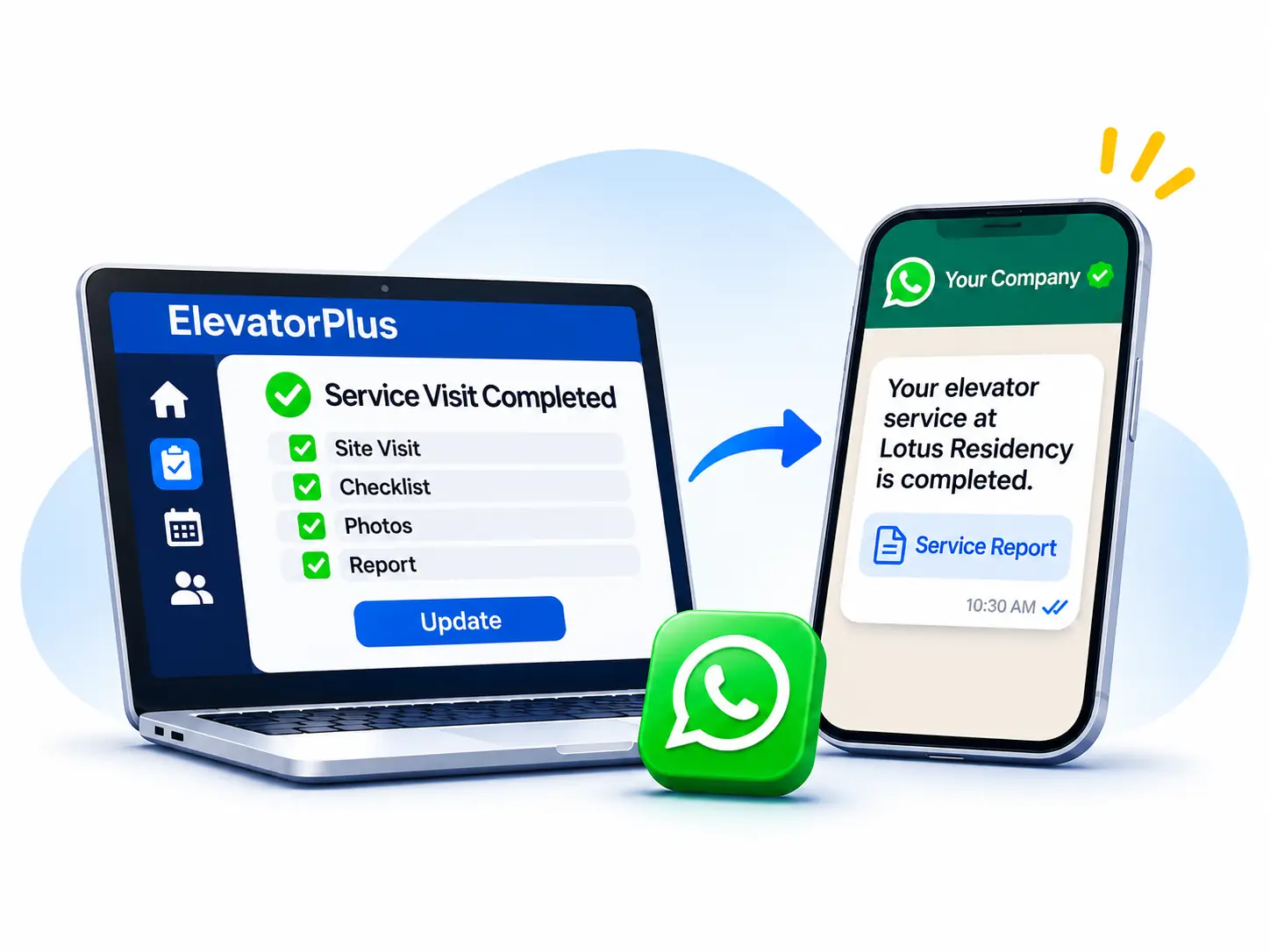
Your team does the work in ElevatorPlus. The update reaches your customer on WhatsApp, from your company's own number, without anyone typing it.
Trusted by Fastest-Growing Elevator Companies
ElevatorPlus connects to the official WhatsApp Business Platform through MSGMATE, our WhatsApp CRM. Once your company number is connected, ready-made triggers send renewal reminders, quotations, service reports, payment acknowledgements and signing links to your customers on WhatsApp as soon as the work is recorded in ElevatorPlus. It is an add-on: a small platform fee, plus Meta's per-message charges billed to you monthly or quarterly at actual usage.
WhatsApp Business Platform, through MSGMATE, our WhatsApp CRM
Messages arrive from your company number, with your company name at the top
Renewal reminders, quotations, service reports, payment acknowledgements and signing links
A small platform fee plus Meta's per-message charges, billed monthly or quarterly at actual usage
The video shows reminders set at 30 days, 2 days and on expiry. The default is 60 days, 30 days and 1 day before expiry, and you can set your own.
A company with 1,000 AMC contracts needs 1,000 renewal reminders a year, each on time. On top of that, customers want to hear when a quotation is final, when a service is done and when a breakdown has been attended.
Sent by hand, from someone's phone, a share of those messages never goes out, and the customer is left asking where their job stands.
Customers also want to hear when
| When this happens in ElevatorPlus | Your customer gets |
|---|---|
| An AMC contract nears expiry | Renewal reminders 60 days, 30 days and 1 day before expiry (the default; you can change the intervals) |
| A quotation is finalised | A message with the quotation attached as a PDF |
| A service visit is completed | A message with the service report as a PDF |
| A breakdown is attended | The breakdown report as a PDF |
| A payment is collected | A payment acknowledgement |
| The customer is not there to sign | A signing link; they open it and sign on their phone |
These are six of the 57 triggers across 14 modules. Each one can be switched on or off. See all 57 automation triggers.
Our team connects your company WhatsApp number to the official WhatsApp Business Platform and takes your account through Meta's verification, end to end. Messages then arrive from that number, with your company name at the top.
Messages are already written in the Template Master in ElevatorPlus. Change the wording to suit your company and check the preview: it shows the message exactly as your customer will see it.
Switch the triggers on. From that moment, every update goes out by itself when the work is recorded.
Customers can reply to the same number, and your team reads and answers the replies in MSGMATE.
| Included in ElevatorPlus | Official WhatsApp Integration (add-on) | |
|---|---|---|
| How a message goes out | A team member taps the WhatsApp button; a chat opens with the template they picked, and they send it | Automatically, the moment the work is recorded, through 57 triggers |
| Sent from | That person's own WhatsApp, such as a salesperson or technician | Your company's verified WhatsApp number, with your company name at the top |
| Templates | Created in the WhatsApp template master | Set up in the Template Master, approved by Meta |
| PDFs attached automatically | No | Yes: quotations, service reports, breakdown reports |
| Replies | Go to that person's phone | Come into MSGMATE for the team |
| Bulk campaigns | No | Yes, from MSGMATE |
| Cost | Free, no third party, no per-message charge | Small platform fee plus Meta's per-message charges |
The integration runs on MSGMATE, a WhatsApp CRM built by our team.
You get a separate MSGMATE login.
It sends the automatic updates described above.
MSGMATE lets you send WhatsApp campaigns in bulk, for example an offer on modernisation or a notice to every society you serve, to contacts who have agreed to hear from you.
Official WhatsApp Integration is an add-on to ElevatorPlus.
You pay a small platform fee for the add-on.
Meta charges for each template message sent. We bill those charges to you monthly or quarterly at actual usage.
Under Meta's rules, utility messages such as service updates sent within 24 hours of a customer messaging you are free, and every marketing message is charged.
Yes. ElevatorPlus connects through the official WhatsApp Business Platform run by Meta, using MSGMATE. It does not drive WhatsApp Web or a phone in the background.
Yes. Messages are sent from your company WhatsApp number, and your company name shows at the top of the chat.
Yes. Customers reply to the same number, and your team reads and answers every reply in MSGMATE, so the conversation stays with the company rather than on one person's phone.
No. The messages are already set up in the Template Master. You can change the wording and preview each one before it goes live. Meta reviews each message template before it can be used, and we help you through that.
Yes. Quotations, service reports and breakdown reports go to the customer as PDFs with the message.
As soon as the integration is set up in ElevatorPlus and the triggers are switched on. Nothing has to be sent by hand after that.
Yes, from MSGMATE, to contacts who have agreed to receive messages from you. Meta charges every marketing message.
It is an add-on: a small platform fee plus Meta's per-message charges, billed monthly or quarterly at actual usage. We share the current rates for your country on request.
Yes. Email notifications are included, and without the add-on your team can still send any WhatsApp template in one tap from their own WhatsApp, free of charge. The add-on is what makes WhatsApp messages go automatically, from your company number.
Our team does it end to end, including Meta's business verification, following Meta's standard procedure.
Usually yes. Meta lets most numbers already on the WhatsApp Business app move to the platform; whether yours qualifies depends on Meta's policy at the time, and we check it during setup.
See the WhatsApp updates on your own data. Book the 30-minute Revenue Leak Walk-Through.
Book the Walk-Through