Elevator Scheduling Software That Handles Breakdowns
By Sumeet Katariya, ElevatorPlus ·
In short: Elevator scheduling software turns a maintenance obligation into a dated visit per lift, assigns it to a technician who is allowed to do that work, and rebuilds the day when a breakdown takes it. The hard part is not the calendar. It is the contest between planned maintenance, callouts, installation milestones and inspection appointments for the same few people. A breakdown always wins. The question is whether the visit it displaced gets rescheduled or quietly disappears.
Key takeaways
- A fixed calendar is a plan, not a schedule. The plan says lift 412 is due in week two. The schedule says who goes, when, and what they drop to get there.
- Frequency is set by the contract and the jurisdiction, not by a setting. A quarterly obligation in one state, an annual statutory inspection in another, a certificate cycle in an export market. Anything assuming monthly for everything is wrong for most of the portfolio.
- Emergency work displaces planned work every single week. That is normal. The failure is treating the displaced visit as cancelled instead of moving it, with the reason attached.
- Skill and authorisation matching is a hard filter, not a preference. If a technician may not sign off a category of work, sending the nearest one is not efficiency. It is a job done twice.
- Month end is the only honest test. Planned versus completed, per lift, per contract, per branch. If that number needs rebuilding in a spreadsheet, the schedule was never really being followed.
What this guide covers: what scheduling software actually does · why the fixed calendar collapses · protecting planned visits during emergencies · routing and travel between sites · skill and authorisation matching · what the dispatcher sees · unclosed jobs · multi-branch scheduling · month end proof · FAQs.
What does elevator scheduling software actually do?
Ask ten people in an elevator business what scheduling software is and eight will describe a calendar with coloured blocks. That part is real, and the least interesting.
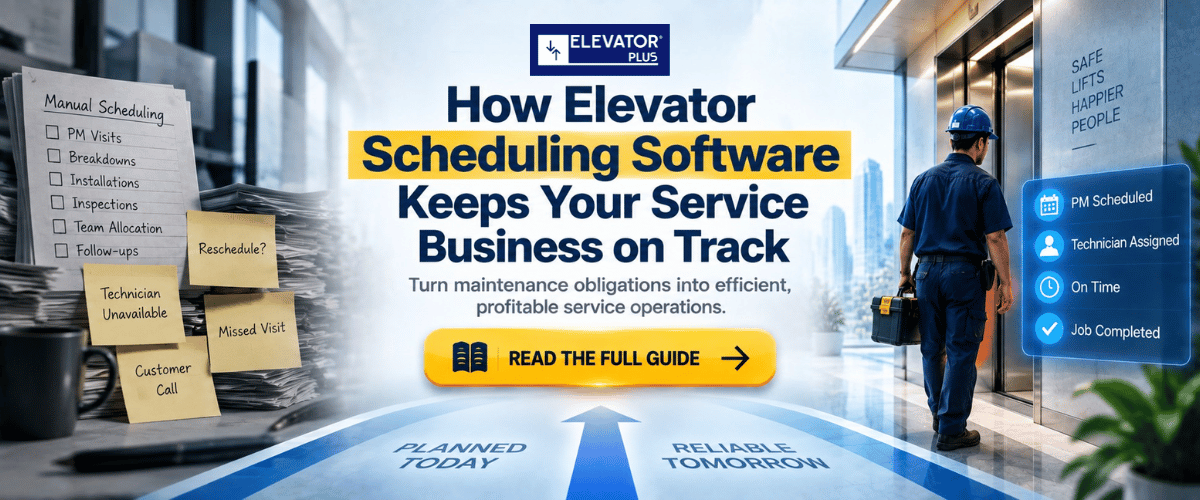
Every lift under contract carries an obligation with a frequency. That obligation has to become a dated visit, on a specific lift, with a task list attached, assigned to someone who is allowed to perform it and can physically get there. Then reality arrives and half of it has to be rebuilt.
So four jobs. Generate the due visits. Allocate them to people and days. Absorb the interruptions. Prove afterwards that what was promised was done. A calendar does the second one badly and none of the others.
One point to settle early, because this topic attracts noise. ElevatorPlus does not predict which lift will fail next, does not optimise a route on its own, and does not forecast demand. The rules are written by your people: who covers which area, which contracts are protected, what counts as an emergency. The system applies them consistently and records what happened.
Why does a fixed PM calendar collapse in the first busy week?
January is beautiful. Twelve months of planned visits laid out, every lift with a month, every technician with a route.
Then the second week of February. Two entrapments before ten. A door operator failure at a hospital that will not wait. An inspection appointment the authority moved by four days. A new installation where the site was not ready last week and now suddenly is.
Four planned visits do not happen. Nobody cancels them, because nobody has to. They simply pass their date.
By April there are three hundred of those. The chart is still on the wall and no longer describes anything. The company is running on memory and on whichever customer complained loudest.
The reason is not that the calendar was wrong. A calendar has no concept of a visit that should have happened and did not. It has dates and blocks. It has no state.
A schedule needs state. Due. Assigned. In progress. Completed. Missed, with a reason. Rescheduled, carrying the original due date so the slip stays visible rather than being erased. That last one is the whole difference.
Which work is competing for the same technician?
Four streams, four sets of rules, one pool of people.
| Work type | What sets the date | Can it be moved? | What moving it costs |
|---|---|---|---|
| Breakdown callout | The moment it is reported | No | Contractual response time, trapped passengers, the relationship |
| Planned maintenance | Contract frequency and the jurisdiction | Within a tolerance window | Invisible at first, then a compliance gap and a hard renewal conversation |
| Inspection appointment | The authority or the appointed inspector | Rarely, and not by you | A rebooking, a fee, sometimes a lift out of service until it is done |
| Installation milestone | Site readiness and the main contractor | Only in one direction, later | Retention, penalties, a crew standing on a site that is not ready |
Read the third column. Only one of those four can genuinely be moved by the service business, and it is the one carrying the contract revenue. That asymmetry is why planned maintenance loses. Not because anyone decides it matters less, but because it is the only item on the list with any give in it. Which means protecting it has to be deliberate.
How do you protect planned visits without ignoring emergencies?
Nobody argues for sending a trapped passenger to the back of the queue. The choice is between an emergency that costs one visit and one that costs the month.
Reserve capacity instead of filling the day. If every technician is booked to the last hour, the first callout displaces planned work by definition. Hold part of the day unallocated and normal emergency volume gets absorbed without touching the plan. The uncomfortable part is that reserved capacity looks like idle time on a utilisation report, and somebody will want to fill it. Win that argument once, at the top.
Make the displaced visit move, not vanish. When a technician is pulled off a planned visit, the visit lands back in the pool as due, flagged, with the reason recorded and the original date intact. Nothing about this is clever. It is the difference between a system that knows what it owes and one that does not.
Set a tolerance window per contract, in advance. Some obligations have room. A visit due in week two can often be done in week three. Others have none, because a statutory date sits behind them. Write it down and a dispatcher moving work at eight in the morning knows which visits have slack. Without it, every reschedule is a guess made under pressure.
Callout work has its own trail: reported, assigned, attended, diagnosed, resolved. That belongs in breakdown management, and the schedule has to read from it.
What does routing and travel time do to a day's plan?
Inside one city, travel is often the largest single block in a technician's day, and plans on paper ignore it entirely.
Two sites can be twenty minutes apart on the map and ninety minutes apart at four in the afternoon. A high rise with one goods lift and a security desk eats forty minutes before anyone touches a controller. Key collection, access rules, a building manager at lunch: none of that appears in a calendar block marked two hours.
The realistic approach is unglamorous. Cluster planned visits by area so the day has a shape. Sequence them so the technician moves in one direction. Keep the actual travel and on-site durations, so next quarter's plan is built on how long these buildings really take.
What the software does not do is compute an optimal route for you. Area definitions, clustering and sequence are set by your dispatcher and branch manager, because they know the site on the ring road is impossible before ten.
On tracking, one thing needs stating plainly. GPS and live technician location are Android only. If your field team is on mixed devices, plan around that. Field tracking and attendance tracking still tell you when someone actually started, which is usually the number that explains the afternoon.
Which technician is actually allowed to take this job?
Nearest is not the same as qualified, and here the gap between those words is a safety matter.
A system that knows only names and locations will assign a controller fault to someone who has never worked on that make, or send an inspection attendance to a technician who cannot sign anything. The dispatcher catches it, because the dispatcher knows everyone. Until the dispatcher is on leave.
Matching runs on attributes held against the person: equipment types they are trained on, categories of work they may perform, any authorisation or licence with an expiry date, and the sites where they hold access clearance. A licence that expired last month should stop that person appearing as an option, not generate an apology afterwards. Site familiarity belongs there too, as a preference ranked below the hard filters and above pure proximity.
Who may move a visit, close a job, or approve an out of scope repair is a separate question, and it sits in access control.
What does the dispatcher actually see?
The dispatcher's screen has to answer four questions in the first ten seconds of a phone call.
Who is free, or nearly free. Who is closest to this address. Who is allowed to do this work. And what breaks if I move them.
That fourth one is what most tools miss. Reassigning a technician is easy. Knowing that doing so pushes a planned visit outside its tolerance window, on a contract that renews in six weeks, is the part that changes the decision.
A working view carries today's assignments with their state, the unassigned queue, the visits already at risk, and the open jobs from previous days that were never closed. Not a wall of colour. A short list of things needing a decision, with enough context attached that the decision does not need three phone calls.
The dispatcher still makes the call. The screen makes the consequence visible first.
👉 Wondering how a displaced planned visit finds its way back onto the schedule? See how work orders carry state from due to closed →
What happens when a technician does not close a job?
This is the quiet failure that undoes everything above.
The visit happened. The work was done. The lift is running. The job is still open three weeks later because the app was closed on the way to the next site, or the basement had no signal and nobody went back.
Now the record is wrong in an expensive way. Month end shows a missed visit that was not missed. The customer gets chased for work already completed. Someone schedules a repeat. And the technician who did the work is defending himself against a spreadsheet.
Three things reduce it. Make closure cheap: a short structured form that works offline, so a basement is not a reason to defer. Make it evidenced: a customer signature on the device turns a claim into a record, which is what digital signatures are for. And make ageing visible: open jobs past a set number of days appear on somebody's screen every morning, by name, until they clear.
The last one is the only one that works long term.
How does scheduling work across more than one branch?
Companies running several cities hit the same three problems in the same order.
Whose technician is this. A branch lending someone to a neighbour during a bad week wants the cost and the hours to land in the right place. If the system cannot express a cross branch assignment, the lending quietly stops.
Whose number is this. Planned versus completed has to read per branch, because that is how the business is managed, and in total, because that is what gets reported upward. Both from the same records, with no manual consolidation.
Whose rules are these. Frequencies, tolerance windows and escalation paths often differ by region for statutory reasons. Branches need room to differ where the obligation differs, and to be stopped from differing where it is just habit. Multi-branch handling is about drawing that line and holding it.
How do you know at month end whether the planned visits happened?
One number. Planned versus completed, for the month, by lift.
Most elevator companies cannot produce it in under a day. What they produce instead is a count of visits recorded during the month, which answers "how busy were we", not "did we do what we promised".
The honest version needs four columns. Visits due. Visits completed. Visits completed late, outside the tolerance window. Visits not done, with a reason on each. Read down the fourth column and the operational story is right there: three because of an entrapment, two because a site refused access, one because nobody was assigned and nobody noticed.
That last category is the one worth acting on. Access refusals and emergencies are the business. Visits that simply fell out of the plan are a process gap, and gaps are fixable.
Recurring obligations and their reminders live in PM and AMC reminders. The month end view is what tells you whether any of it worked.
Frequently asked questions
What is elevator scheduling software?
It is the part of an elevator business system that turns maintenance obligations into dated visits per lift, assigns them to technicians who are permitted and available to do the work, absorbs emergency callouts and inspection appointments as they arrive, and records what was completed against what was planned.
Why does a fixed maintenance calendar stop working?
Because a calendar has dates but no state. When a breakdown pulls a technician off a planned visit, nothing marks that visit as owed. It passes its date silently. After a few busy weeks the chart no longer describes what the company is doing.
How do you stop breakdowns from destroying the maintenance plan?
Hold some capacity unallocated each day so normal emergency volume does not eat planned work, define a tolerance window per contract so a dispatcher knows which visits have slack, and make every displaced visit return to the queue as due with its original date and a reason attached.
Does ElevatorPlus predict which lift will break down next?
No. There is no predictive maintenance, no AI forecasting, no remote diagnostics and no sensing on the equipment. Scheduling rules are written by your team and applied consistently. Breakdowns are recorded when reported, not anticipated.
Does the system optimise technician routes automatically?
No. Area coverage, clustering and visit sequence are set by your dispatchers and branch managers. The system holds those definitions, applies them, and records actual travel and on-site durations so future plans use real numbers.
Can you see where technicians are during the day?
GPS and live technician location are Android only. Attendance and field movement records are available regardless of device, and for most scheduling decisions the start time and job state matter more than a live map.
📲 Join our WhatsApp channel for compliance tips, updates: ElevatorPlus - Business Automation Tool
Scheduling in an elevator business is not a calendar problem. It is a contest problem. Four kinds of work want the same technician on the same morning, and only one can be moved without an immediate cost, which is exactly why that one keeps losing.
So the design question is not how to draw the week. It is what happens to a planned visit the moment it is displaced. If it moves, with its original date and a reason, the plan survives a bad month. If it evaporates, the plan was decoration and the company is running on memory.
None of this requires prediction. It requires rules your people write down once, applied the same way on the bad days as on the quiet ones, and a record nobody has to reconstruct later.
The test is at month end, and it is a single number per lift. Planned against completed. Companies that can produce it tend to be the ones whose renewal conversations are short.
👉 See how planned visits, callouts and inspections share one schedule. Book a demo →
Related reading
- Work order management: a job that carries state from due to closed
- PM and AMC reminders: obligations that become dated visits
- Breakdown management: the callout trail from report to resolution
- Inspection management: appointments, outcomes and follow-up work
- Multi-branch operations: shared technicians, separate numbers
About the author. Sumeet Katariya is the founder of ElevatorPlus, the Elevator Business Operating System used by 200+ elevator companies across 20+ countries.
👉 Follow ElevatorPlus on,
Instagram LinkedIn Facebook YouTube Qoura Substack Twitter